
40+ features, security patches, new emoji, and camera upgrades — here’s everything that changed.
▲ Hands-on iOS 26.4 update walkthrough — tested on iPhone 16 Pro Max, iPhone Air, and iPhone 17 Pro Max
The iOS 26.4 update is officially live — and it’s bigger than most people expected. Apple dropped this release quietly, but the changelog tells a different story: over 40 features, fixes, and improvements packed into a single update. Whether you’re rocking an iPhone 15, 16, or the brand-new iPhone 17 Pro Max, this one is worth your attention.
Let’s be honest — most iOS point updates are boring. A patch here, a bug fix there. But iOS 26.4? It’s the kind of release that makes you actually excited to hit that Update Now button. From a completely revamped keyboard experience to fresh emoji, camera tweaks, and meaningful privacy improvements, Apple is clearly listening to user feedback — and delivering.
In this full breakdown, we’re going through everything that’s new in the iOS 26.4 update, how it stacks up against iOS 25, how it compares to Samsung’s One UI, and — most importantly — whether you should install it today.
Watch the Full iOS 26.4 Update Walkthrough
Before we dive into the written breakdown, here’s a hands-on video walkthrough that covers the key changes in real-time. Watch it alongside this article for the most complete picture of what iOS 26.4 brings to the table:
▲ Hands-on iOS 26.4 update walkthrough — tested on iPhone 16 Pro Max, iPhone Air, and iPhone 17 Pro Max
iOS 26.4 Update – What’s New?
Apple’s iOS 26.4 is a broad-spectrum update. It doesn’t focus on just one area — instead, it spreads improvements across the entire operating system. Think of it as Apple doing a full audit of iOS 26 and saying, “Let’s fix everything users have been complaining about.”
Here’s the big picture of what’s inside:
-
- 40+ total changes including new features, bug fixes, and security patches
- Major keyboard improvements that fix long-standing autocorrect and input bugs
New emoji added to the standard keyboard
- Refreshed Apple Music and Podcasts experiences
- Meaningful privacy and security updates under the hood
- Notable camera improvements for photos and video
- Subtle but impactful UI and design changes
💡 Key takeaway: iOS 26.4 isn’t a headline-grabbing feature drop like iOS 26.0 was — but in many ways, it’s more useful. It takes what you already have and makes it work better. That’s something power users will genuinely appreciate.
Top iOS 26.4 Features You Need to Know
Here’s a deep dive into the most impactful iOS 26.4 features — the ones that will actually change how you use your iPhone every day.
Keyboard Fixes – Finally, Autocorrect That Respects You
Let’s start with the one that affects everyone. The iOS 26.4 update addresses several persistent keyboard issues that have plagued users since iOS 26 launched. Autocorrect was occasionally overriding correctly spelled words — especially in names, slang, and technical terms. That’s been patched.
There are also fixes for keyboard lag when switching between apps, occasional key-ghosting (where a key press registers twice), and improved haptic feedback accuracy on supported models. If you type a lot — and who doesn’t — this update alone is reason enough to upgrade.
New Emoji in iOS 26.4 – Fresh Additions to the Keyboard
Apple adds new emoji with select iOS updates, and iOS 26.4 is one of them. The new additions follow the Unicode 16 standard and include a range of expressions, objects, and symbols that reflect broader cultural representation. Look for the new characters in the emoji picker — they appear at the top of the “Recently Used” section after your first use.
Apple Music & Podcasts Improvements
Apple Music gets a few quality-of-life boosts in the iOS 26.4 update. Queue management has been improved — you can now more easily reorder your Up Next list without accidentally removing tracks. The “Add to Library” action is also faster and more consistent.
For Podcasts, episode downloads are more reliable, and there’s a fix for the annoying bug where episodes would sometimes fail to mark as played. The Podcasts widget on the Home Screen has also been updated to refresh more consistently.
Privacy & Security Updates
Every iOS update carries security patches, but iOS 26.4 has some particularly noteworthy ones. Apple has patched vulnerabilities related to WebKit (the engine that powers Safari and in-app browsers), which is always a high-priority fix since those can be exploited remotely.
On the privacy side, there are improvements to how apps request permission to access your photo library, with more granular options available. Location sharing in Find My has also been refined to give users better transparency about what data is being shared and when.
Camera Improvements – Better Photos in More Conditions
The camera system gets tangible upgrades in iOS 26.4 changes. Apple has improved Night Mode processing speed — you’ll notice slightly faster capture times in low-light scenarios. Portrait Mode segmentation has been refined, with better edge detection around hair and complex backgrounds.
Video recording also benefits: stabilization is smoother during casual walking shots, and the microphone input during 4K recording has been improved to reduce wind noise more aggressively.
UI & Design Changes – Subtle But Noticeable
Apple has touched up several visual elements across iOS 26.4. Notification grouping animations are smoother, the Control Center transitions feel snappier, and there are refined icon states in several first-party apps like Files, Calendar, and Notes.
There’s also been an update to how Dynamic Island notifications display on supported models — transitions are cleaner and the pill animations respond more predictably to interaction. Small stuff, but it adds up to a polished feel.
iOS 26.4 Update vs iOS 25 – What Actually Changed?
When comparing the iOS 26 vs iOS 25 trajectory, it becomes clear that Apple made a significant architectural leap with iOS 26 — and iOS 26.4 is the refinement pass that makes that leap feel truly solid.
| Feature | iOS 25 | iOS 26.4 |
|---|---|---|
| Autocorrect quality | Good baseline | Noticeably improved |
| Camera Night Mode speed | Standard | Faster capture |
| Security patches | Regular cadence | WebKit + deeper fixes |
| Apple Music UX | Solid | Queue management improved |
| Emoji set | Unicode 15 | Unicode 16 additions |
| UI animation polish | Good | Refined throughout |
| Dynamic Island behavior | Functional | More predictable |
iOS 25 was already a capable system, but iOS 26.4 fixes the rough edges that came with a major version launch. If you skipped iOS 26.0 through 26.3 due to early bugs, this is the version that makes iOS 26 feel mature and production-ready.
iOS 26.4 vs Samsung One UI – Which Is Better in 2026?
This is always a heated debate, but let’s approach it honestly. The iOS vs One UI comparison isn’t really about which one is “better” in an absolute sense — it’s about which one is better for you. Here’s how they compare across the categories that matter most.
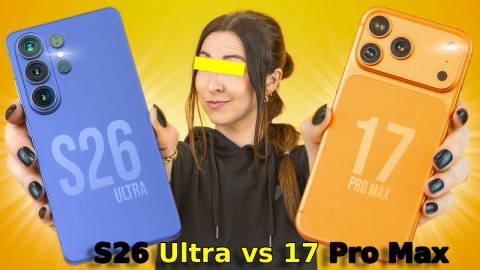
For a detailed hardware comparison between the two ecosystems’ flagships, check out this comprehensive Samsung S26 Ultra vs iPhone 17 Pro Max full 2026 comparison — it covers performance benchmarks, camera systems, and value propositions in detail.
| Category | iOS 26.4 | Samsung One UI 7 |
|---|---|---|
| Performance & Optimization | Seamless, chip-matched | Great but can vary by device |
| Customization | Improving but still limited | Deep customization options |
| Privacy & Security | Industry-leading controls | Strong, improving annually |
| UI Design Consistency | Cohesive & refined | Modern but occasionally dense |
| Ecosystem Integration | Apple Watch, Mac, iPad sync | Galaxy ecosystem is solid |
| Update Longevity | 7+ years of support | 7 years (matching Apple now) |
| Camera Software Processing | Natural, consistent output | Vivid, feature-packed |
| App Quality | Generally higher baseline | Catching up rapidly |
The honest verdict? iOS 26.4 wins on polish, privacy, and ecosystem cohesion. One UI 7 wins on customization and hardware variety. If you’re already in the Apple ecosystem, iOS 26.4 keeps you in a very comfortable place. If you’ve been tempted by Samsung, the gap has narrowed — but it hasn’t closed.
Supported Devices for the iOS 26.4 Update
One of the best things about the iOS 26.4 update is that it’s not limited to the latest hardware. Apple’s commitment to broad device support means millions of users on older iPhones benefit from the same improvements. The update has been tested and confirmed working smoothly on:
To install, go to Settings → General → Software Update. The update will appear there if your device is supported. Apple recommends having at least 50% battery and a Wi-Fi connection before installing.
For the official device support list and release notes, visit Apple’s iOS release notes page.
Should You Upgrade to iOS 26.4?
Short answer: yes, for most people. But let’s break it down with a clear pros and cons view so you can make an informed decision.
✅ Reasons to Upgrade
- 🔒 Critical WebKit security patches
- ⌨️ Keyboard bugs finally fixed
- 📷 Better camera performance
- 🎵 Improved Music + Podcasts
- 😄 New emoji (if that matters to you)
- 🎨 Smoother UI animations
- 📲 Works on older iPhones too
⚠️ Things to Consider
- 🔋 Slight battery adjustment period
- ⏳ Installation takes 15–20 mins
- 🔄 Rare app incompatibilities
- 📶 Some jailbreak users should wait
The security fixes alone make this a must-install for most users. The WebKit patch in particular addresses a class of vulnerability that could theoretically be exploited just by visiting a malicious website — you don’t want to leave that open for long.
If you’re on an older device (iPhone 12 or 13), run a backup first via iCloud or Mac, then proceed. Occasionally, major iOS versions can feel different on older hardware, though iOS 26.4 has been optimized to be light on system resources.
For more context on how Apple’s latest hardware handles this update, the official Apple iOS page has the full technical notes.
Frequently Asked Questions related to iOS 26.4 Update
Final Verdict on the iOS 26.4 Update
The iOS 26.4 update is one of those rare point releases that earns a genuine recommendation — not just because of security patches, but because it makes your iPhone tangibly better to use. The keyboard fixes alone will improve daily life for millions of users, and the camera and privacy improvements add real long-term value.
If you’ve been waiting for iOS 26 to “settle down” before updating, your wait is over. iOS 26.4 is the version that makes the whole iOS 26 generation feel polished, fast, and reliable. Go update your iPhone — you won’t regret it.

1 Comment